

Admin Panel
Access
The Admin panel is available to users with the admin role. Open it from the settings icon in the navigation. The panel is a searchable sidebar: type to filter, or press Cmd/Ctrl+Shift+K to jump straight to any setting. (Plain Cmd/Ctrl+K stays the app-wide search, everywhere including here.) Every section is deep-linkable, so you can bookmark a specific page.
Sections
The panel is organized into groups, each with its own pages:
| Group | What it covers |
|---|---|
| Overview | System status, network connectivity, locale and units, the default home layout, and uninstall |
| Features | Install status for chat and intelligence, image generation, and voice models, plus other capabilities |
| Apps | Install or remove apps for the household, review install requests, and app settings |
| Companions | Create and configure companions and characters, set per-companion voices and wake words, and tune the daily briefing |
| Privacy & Content | The safety floor, the content ceiling per user, Privacy Mode (the adult-content PIN and countdown), adult-keyword detection, and style adult flags |
| Podcasts | Defaults and management for AI-generated podcast shows |
| Users | Create and manage accounts |
| Storage | Disk usage, plus advanced tools, diagnostics, and logs |
Users
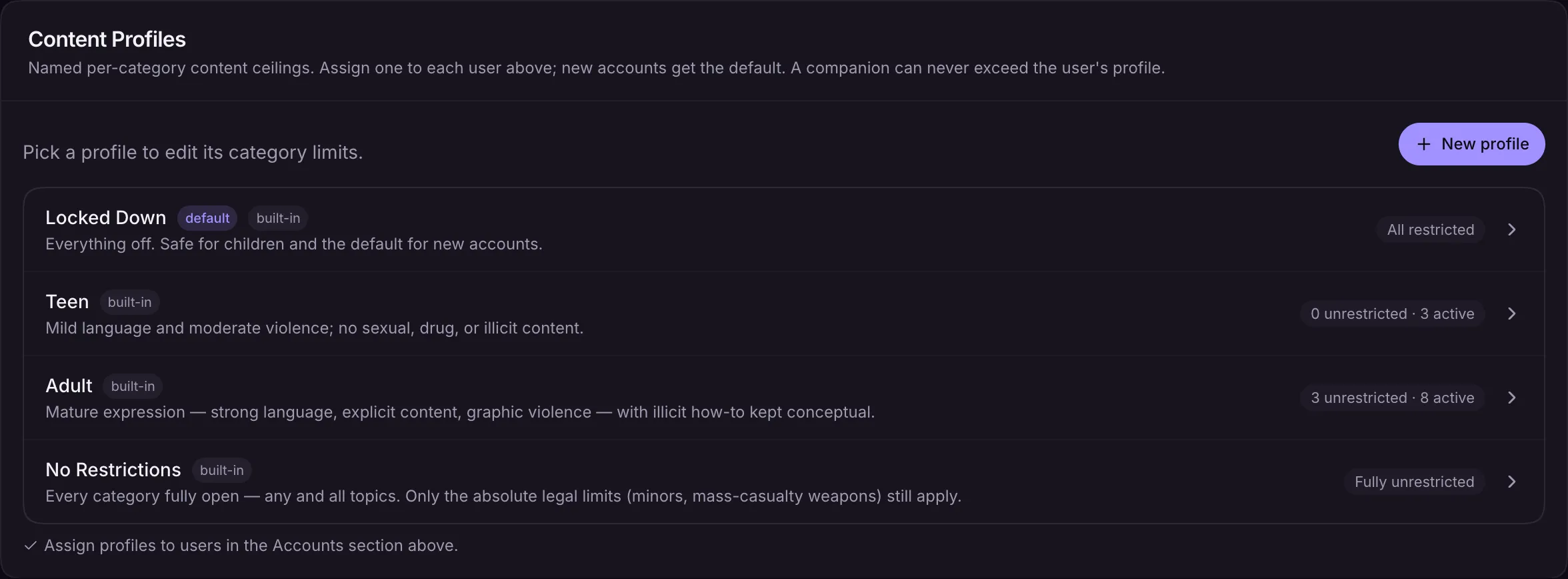
Create user accounts with a username and initial PIN. Assign the admin role to give another user full access. Regular users only see the apps and features the admin has installed and granted to them. Each user also has a content ceiling, so the admin can keep younger family members fully filtered while adults run unrestricted.
Installing Models and Apps
The Features group shows the install status of every AI model and component. If something is missing, tap Install to download it. Progress streams inline, with no need to leave the page. Larger or non-essential downloads continue in the background after boot, so the app stays usable while they finish.
Diagnostics
Under Storage you will find disk usage and a set of diagnostic tools, including chat and router benchmarks that measure the full pipeline and tool-routing accuracy, plus live logs for troubleshooting.
Chat Traces (Diagnostics & Logs) shows exactly what happened behind recent replies: which tools ran, how many tokens were used, how fast the answer came, and the full prompt the model saw. It reads whatever thumbs-up or thumbs-down the family left on a reply, so a “that answer was bad” is one click away from its full story. Traces stay on your server, are capped to the most recent turns, and are never kept for temporary chats.
The AI engine also watches itself now: if the model server ever dies (a crash, a driver hiccup), the app notices within a minute and restarts it on its own, so chat does not stay broken until someone reboots.
Persona history: every edit to a companion’s personality keeps a snapshot of the previous version, with one-click revert from the character editor. If a wording change quietly makes a companion worse, roll it back.