

Companions
Your companion is a friendly AI personality that lives in a little floating bar at the bottom of the screen. It has a name, a personality, a voice, and an animated avatar that breathes, reacts, and moves its mouth as it talks.
And it belongs to you. It isn’t built to hook you or upsell you, there’s no subscription keeping it “alive,” and it can’t be quietly updated into something creepy. You set the name, personality, voice, and look, and it stays exactly that way on your own hardware.
Meet Your Companion
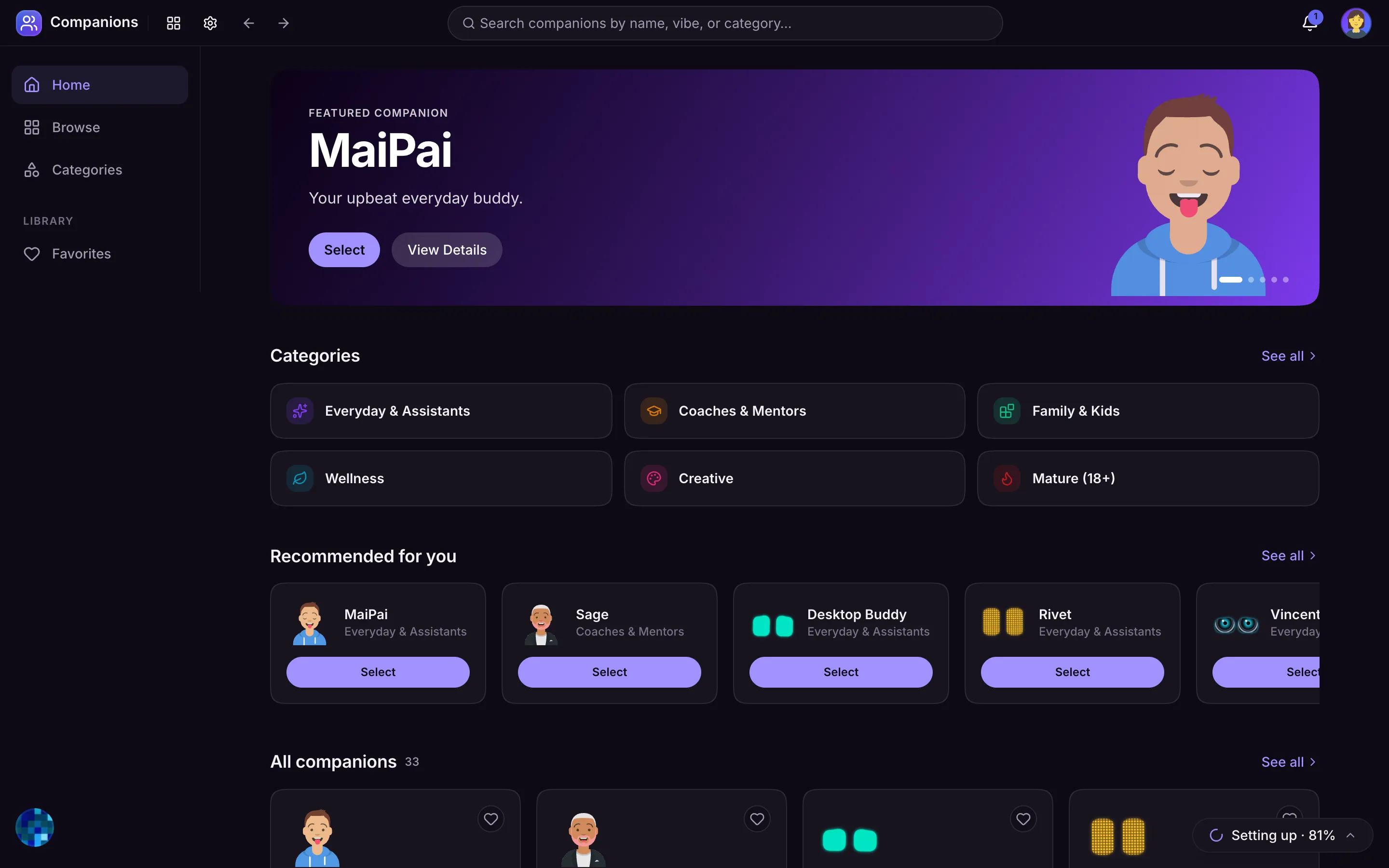
MaiPai Home ships with a roster of ready-made companions so there’s always someone to talk to, including everyday buddies, mentors and coaches, kid-friendly storytellers and study helpers, calm wellness listeners, and creative muses. Pick one and start chatting right away.
Browse the Companion Store
Open the Companion Store at /companions to see everyone, App-Store style:
- Categories group companions by what they’re best at: Everyday & Assistants, Coaches & Mentors, Family & Kids, Wellness, Creative, and a grown-up Mature (18+) tier.
- Each companion has its own page with a short bio, its voice, speaking pace, reply style, and full personality description, plus a Select button to make it your active companion and a Preview button to hear its voice.
- Some Mature companions appear Locked until your content settings allow them. You can raise your content ceiling in Settings to unlock them (your admin may also limit this).
Favorite and Switch
- Tap the heart on any companion to add it to your Favorites for quick switching.
- Your favorites show up right in the companion menu, so you can hop between, say, a kids’ storyteller and a study coach in one tap.
- Click the avatar in the floating bar to open the companion menu, switch companions, or turn the companion off entirely.
Talking to Your Companion
- Type in the floating input bar for a quick, casual conversation. Press ⌘ / (or Ctrl /) from anywhere to jump straight to the input.
- Your companion also joins the main chat.
- If voice is enabled, you can turn on read-aloud and hands-free listening, and say your companion’s wake word to talk to it directly. See Voice for setup.
- The bar comes in three sizes, Mini, Docked, and Max, so you can keep it tiny or give it room. After a few minutes of quiet, your companion gently dozes off until you come back.
It Acts Like Someone Who Knows You
Companions do more than answer. Over time yours behaves like a friend who has actually been paying attention:
- First meetings feel like first meetings. A brand-new companion introduces itself and gets to know you over the first few chats instead of pretending you are old friends.
- It gets curious. Mention something it does not know about your life and it may ask one warm follow-up question, then actually remember the answer.
- It calls things back. Inside jokes, big news, and open threads come up again when they are relevant, not at random.
- It reads the room. Share big news and it celebrates with you; share something heavy and it just stays present, no unsolicited advice. If your replies get short, it gives you room.
- It has its own tastes. Each companion holds stable likes and dislikes, so its opinions stay consistent instead of agreeing with everyone about everything.
- It knows where you are. Traveling with your phone, it talks about the weather and news where you actually are, and it is discreet about personal matters when you are talking through a shared speaker.
Expressions and Animations
Companions react to the conversation:
- Breathing animation while idle
- Head tilt when thinking, listening, or asking a question
- Moods that animate the eyes and brows
- Lip sync so the mouth moves in time with speech (in step with the spoken audio when voice is on, or with the words as they appear when it’s off)
Make It Yours
Admins can fully customize companions in Admin → Companions → Characters: change the name, rewrite the personality, pick the DiceBear avatar look, assign a voice and speaking pace, set a wake word, and choose a category. You can build a brand-new companion from scratch and test it live before saving. Nothing about your companion is rented or remote; it’s yours, running at home.